
Video content has become one of the most powerful ways to capture attention online. Whether you are a blogger, marketer, or content creator, videos help you reach a wider audience and increase engagement.
The good news is that you no longer need expensive software or professional editing skills to create videos. Thanks to AI-powered text-to-video tools, you can turn simple text into engaging videos within minutes.
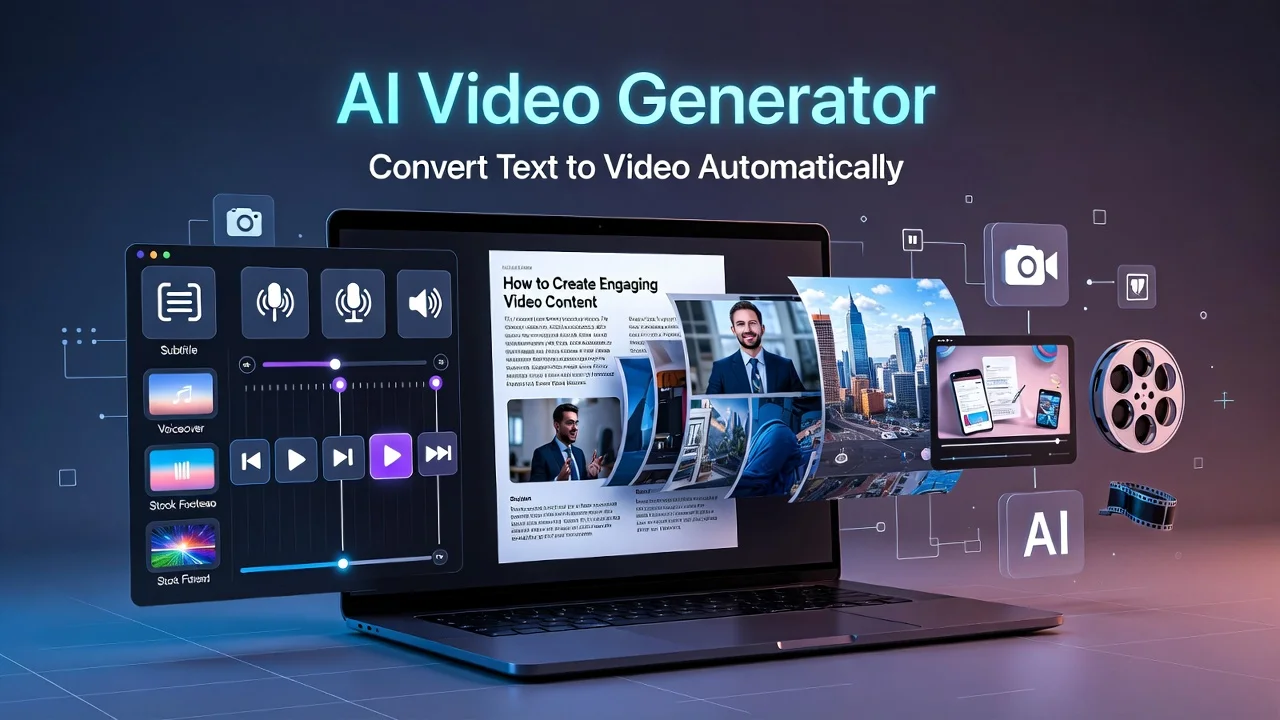
Modern platforms like Fliki, InVideo, and Vidnoz allow creators to transform blog posts, scripts, or even social media captions into high-quality videos automatically.
In this guide, you will learn:
- How AI converts text into videos automatically
- A step-by-step tutorial using Fliki
- A comparison of the most popular AI video tools
- Tips to create SEO-friendly AI videos
By the end of this article, you will know how to create professional videos quickly using AI technology.
Why Text-to-Video AI Is Becoming Popular
Video content consistently performs better than text-only content across most platforms. Studies show that users spend more time watching videos and are more likely to share them with others.
AI text-to-video tools are becoming popular because they make video creation easier and faster.
Key Benefits of Using AI Video Tools
Faster Content Creation
Traditional video editing can take hours or even days. AI tools can generate videos in just a few minutes.
Cost-Effective
You don’t need to hire editors, voice artists, or designers. AI tools provide everything in one platform.
Better Engagement
Videos often receive more likes, comments, and shares compared to text content.
SEO Advantages
Search engines increasingly prioritize video content, especially on platforms like YouTube.
Because of these advantages, many bloggers and marketers are now using AI tools to convert written content into videos.
How AI Converts Text Into Video
AI text-to-video technology works by analyzing your text and automatically generating visuals, voiceovers, and scenes.
Here is how the process usually works:
- You paste your text or script into the AI tool.
- The AI analyzes the content and divides it into scenes.
- Relevant images or video clips are automatically selected.
- AI voiceovers are added to narrate the content.
- Background music and subtitles are generated.
Within minutes, your text becomes a complete video ready to publish.
The Best AI SEO Tool to Write and Rank Articles Faster
Step-by-Step: How to Convert Text to Video Using Fliki
One of the easiest tools for beginners is Fliki. It offers a simple interface and powerful AI features that allow you to create videos quickly.
Step 1: Create an Account
Visit the Fliki website and sign up for a free account.
Once logged in, click Create Video and select the Text to Video option.
Step 2: Add Your Text or Script
Now paste your content into the editor.
You can use:
- Blog articles
- Video scripts
- Product descriptions
- Social media captions
The AI will automatically divide your text into scenes and suggest visuals.
Pro Tip:
Short and clear sentences work best for AI-generated videos.
Step 3: Customize the Video
Once your scenes are generated, you can customize different elements.
Choose Visuals
Fliki provides millions of stock images and video clips to match your text.
Select AI Voice
You can choose from hundreds of natural-sounding voices in multiple languages.
Add Subtitles
Subtitles make videos more accessible and improve engagement.
Background Music
You can also add background music to make your video more engaging.
Learn About Best Hosting Provider
Step 4: Generate the Video
After customization, click Create Video.
The AI will render your video in a few minutes.
You can then:
- Download the video in HD
- Share it directly on social media
- Upload it to YouTube
Best AI Tools to Convert Text to Video
There are several AI tools available today, but three platforms are particularly popular among creators.
Fliki
Fliki is widely known for its realistic AI voices and easy-to-use interface.
Best for:
- Bloggers converting articles into videos
- Educational content
- YouTube creators
Key features include:
- Large library of stock media
- Multiple AI voice options
- Text-to-video automation
InVideo
InVideo focuses on templates and advanced editing features.
Best for:
- Marketing videos
- Promotional content
- Business presentations
It offers thousands of templates that allow users to create professional-looking videos quickly.
Vidnoz
Vidnoz specializes in short-form video content.
Best for:
- TikTok videos
- Instagram Reels
- Social media clips
It allows creators to generate quick videos optimized for social media platforms.
AI Video Tool Comparison
| Feature | Fliki | InVideo | Vidnoz |
|---|---|---|---|
| AI Voiceovers | 1000+ voices | 50+ voices | 200+ voices |
| Templates | 500+ | 5000+ | 300+ |
| Free Plan | Yes | Yes | Limited |
| Best For | Blogs & tutorials | Marketing videos | Short-form content |
Each tool has its strengths, so the best choice depends on your content needs.
Who Should Use AI Text-to-Video Tools?
AI video generators are useful for many types of creators.
Bloggers
Bloggers can convert written articles into engaging videos to increase reach.
Affiliate Marketers
Videos can help explain products and drive more conversions.
Social Media Creators
Short videos are perfect for platforms like TikTok, Instagram, and YouTube Shorts.
Educators
Teachers and trainers can transform lessons into engaging video content.
These tools help creators scale their content production without spending hours editing.
Tips to Create SEO-Friendly AI Videos
Creating videos is not enough—you also need to optimize them for search engines.
Use Keyword-Rich Titles
Include relevant keywords in your video title so that search engines understand the topic.
Example:
“How to Convert Text to Video Using AI – Beginner Guide”
Design Engaging Thumbnails
Thumbnails play a huge role in attracting viewers.
You can design thumbnails using Canva or built-in editors provided by video tools.
Add Subtitles and Captions
Subtitles improve accessibility and help viewers understand your content even without sound.
Search engines also use captions to understand video content.
Embed Videos in Blog Posts
Embedding videos in articles improves user engagement and time spent on your website.
This strategy also helps increase organic traffic.
Publish Consistently
Consistency is important for both SEO and audience growth.
AI tools make it easier to create videos regularly without spending too much time.
Common Mistakes to Avoid
When using AI video tools, avoid these common mistakes.
Overloading Videos With Text
Too much text can make videos difficult to follow.
Ignoring Visual Quality
Always choose relevant and high-quality visuals.
Skipping Voiceovers
Voice narration improves viewer engagement significantly.
Not Optimizing Titles and Descriptions
SEO optimization helps your videos rank higher on YouTube and Google.
The Future of AI Video Creation
AI technology is evolving rapidly, and video creation is becoming easier every year.
Future AI tools will likely offer:
- More realistic voiceovers
- Advanced scene generation
- Automated storytelling
- Better personalization
As AI continues to improve, text-to-video tools will become an essential part of digital content creation.
Final Thoughts
AI-powered tools have completely transformed the way videos are created. Instead of spending hours editing, you can now turn simple text into professional videos within minutes.
Platforms like Fliki, InVideo, and Vidnoz make it easy for anyone to create engaging video content without technical skills.
Whether you are a blogger, marketer, or social media creator, using AI video tools can help you:
- Produce more content
- Reach larger audiences
- Improve engagement
- Save time and effort
By combining AI video creation with smart SEO strategies, you can grow your online presence and stay ahead of the competition.

Leave a Reply